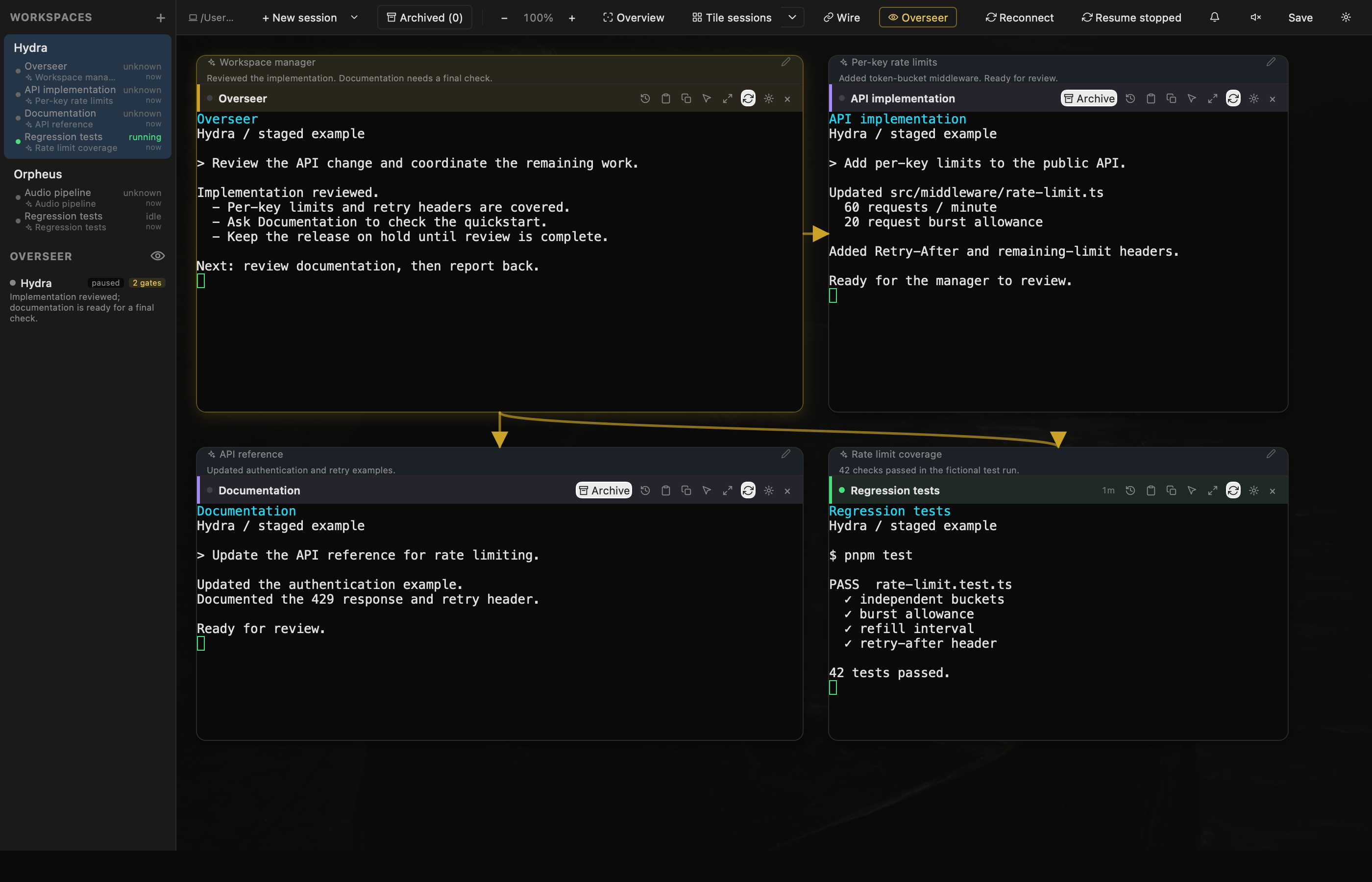
Keep the implementation session large. Leave tests, documentation, and a release log beside it in smaller panes. Each block has its own position and size, and each workspace has its own canvas.
A Codex Overseer beside Claude implementation, Charon documentation, and regression tests.
Tile whenever you need to
Tile sessions arranges terminals into an even grid, and new terminals join automatically. Moving or resizing a pane returns to a free layout. Repeated tiling preserves your original layout; open the arrow beside Tile sessions and choose Undo tiling to restore its positions, sizes, and zoom.
Focus on a single session
Expand a terminal to work at full size, then return to the canvas. Focus mode has session tabs, so you can move between terminals without rearranging the project.
Keep projects separate
Switch between named workspaces. Local shells, Claude Code, Codex, Charon, and SSH sessions can each occupy a block.
A view of the whole workspace
Overview fits the canvas on screen without rearranging sessions. Pan and zoom to follow the work; terminal dimensions and configured font sizes stay unchanged, so zoom does not reflow output or move your scroll position.
Work at your chosen scale
Type, select text, click, and scroll inside terminals while zoomed. Wires scale with the panes they connect. Dragging a resize handle still changes the size of that session.
Captured from the September 2026 build using fictional projects and staged terminal output.
 Acheron