A canvas for each project
Move and resize sessions, or use Tile sessions to put them into an even grid. New terminals join the grid automatically. Undo tiling brings back your previous layout.
 Acheron
A canvas for your terminals.
Keep coding agents, shells, browsers, and remote sessions in view. Choose an agent to manage the project, connect its teammates, and return to the same conversations.
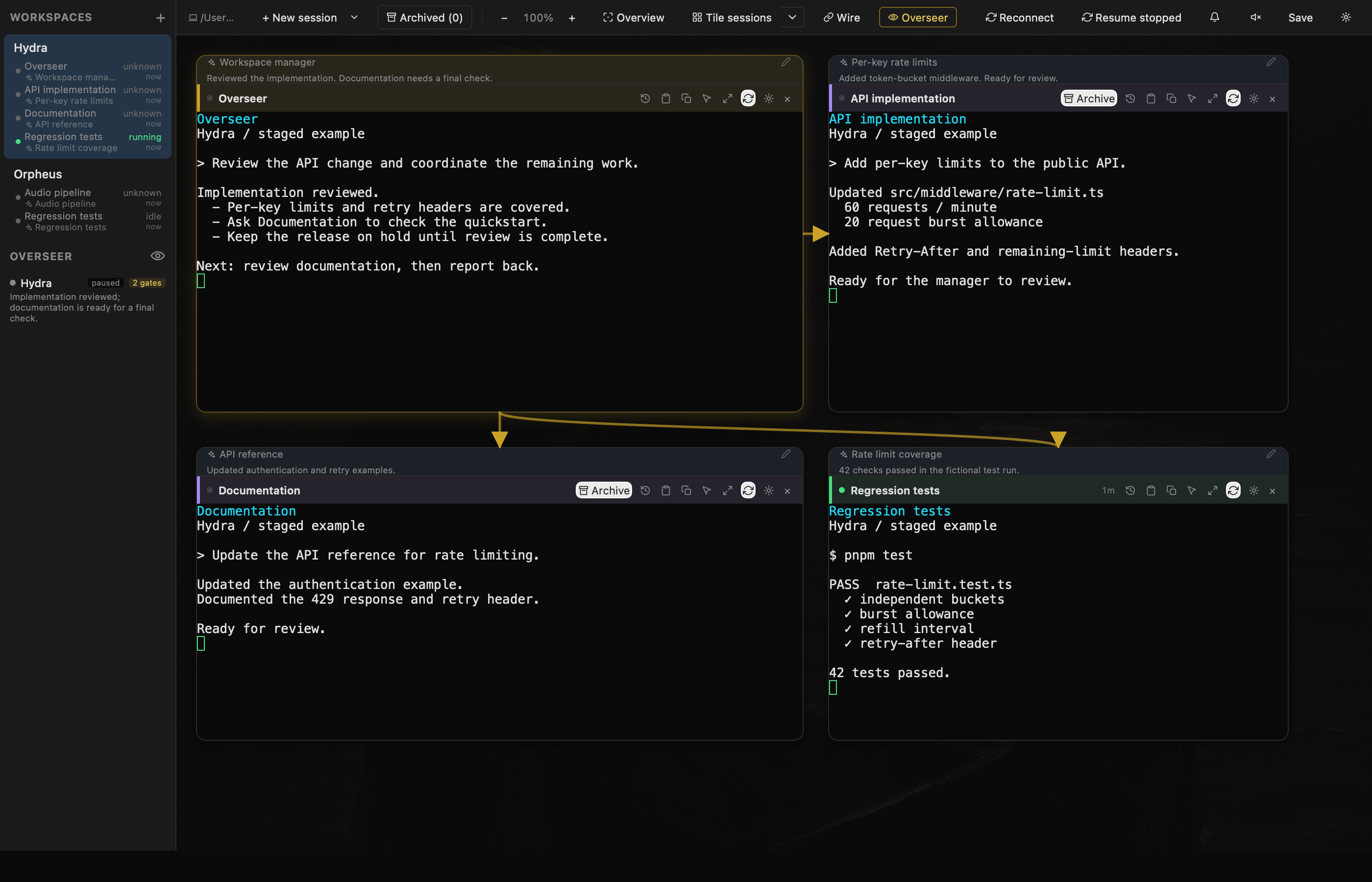
Keep the API beside its tests. Leave a deployment in view while you review documentation. Arrange sessions around the work they belong to.
Explore the current features ↗Move and resize sessions, or use Tile sessions to put them into an even grid. New terminals join the grid automatically. Undo tiling brings back your previous layout.
Overview fits the workspace on screen. Zoom changes the view without reflowing terminal text or moving your scroll position. Keep typing, selecting, and scrolling at your chosen scale.
Give a session a stable name and let generated summaries follow its progress. Open its task history to revisit earlier work, or use notification history to return to an update you missed.
Orpheus
An audio decoder and its regression tests, kept together.Actual interface. Fictional project and results.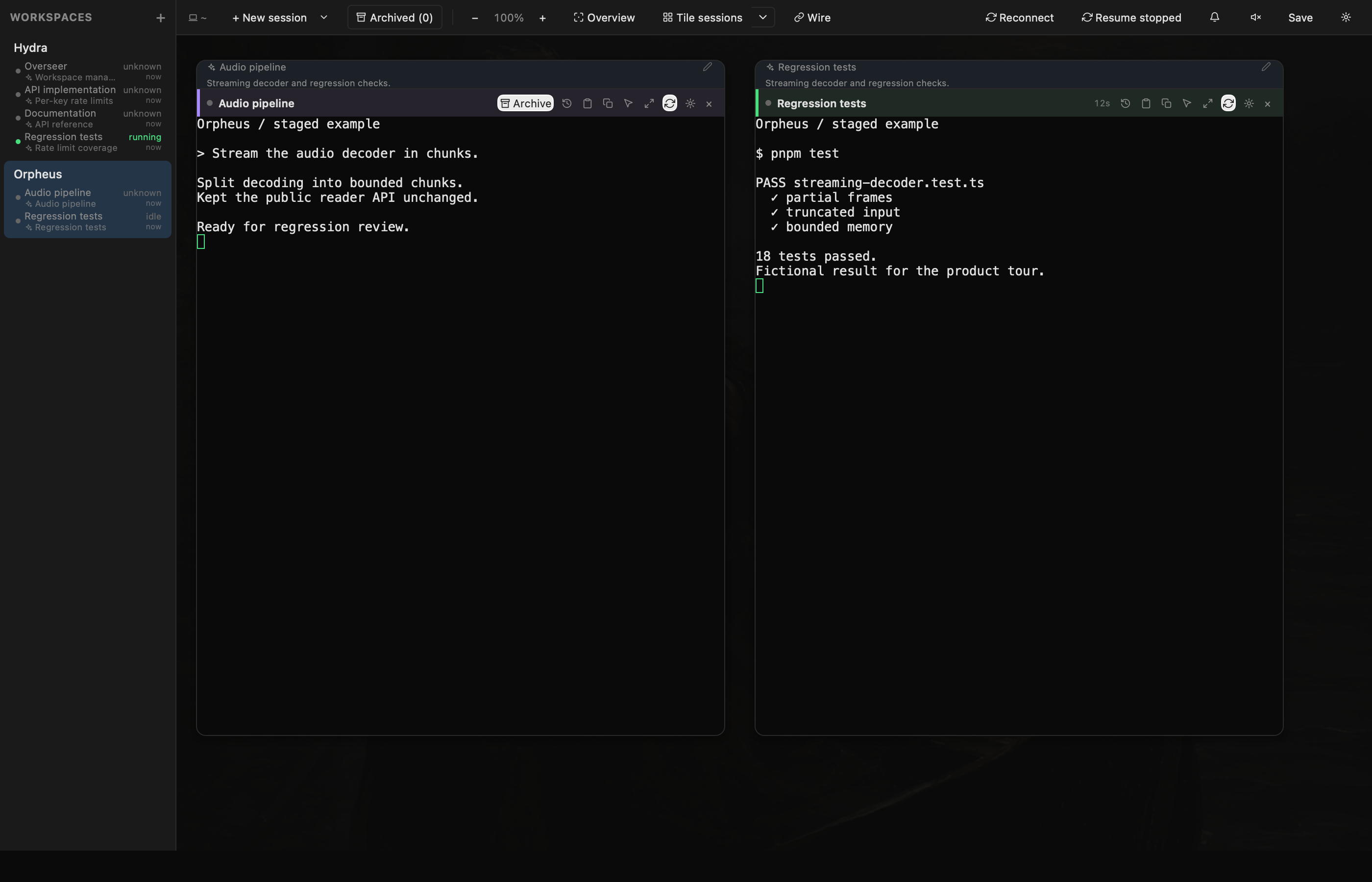
Choose Claude Code, Codex, or Charon as your workspace’s Overseer. Connect the agents it can direct, assign an objective, and review the work and decisions together. Automatic updates are checked for changed output and state before waking Overseer, keeping unchanged sessions out of routine reviews.
See how Overseer works ↗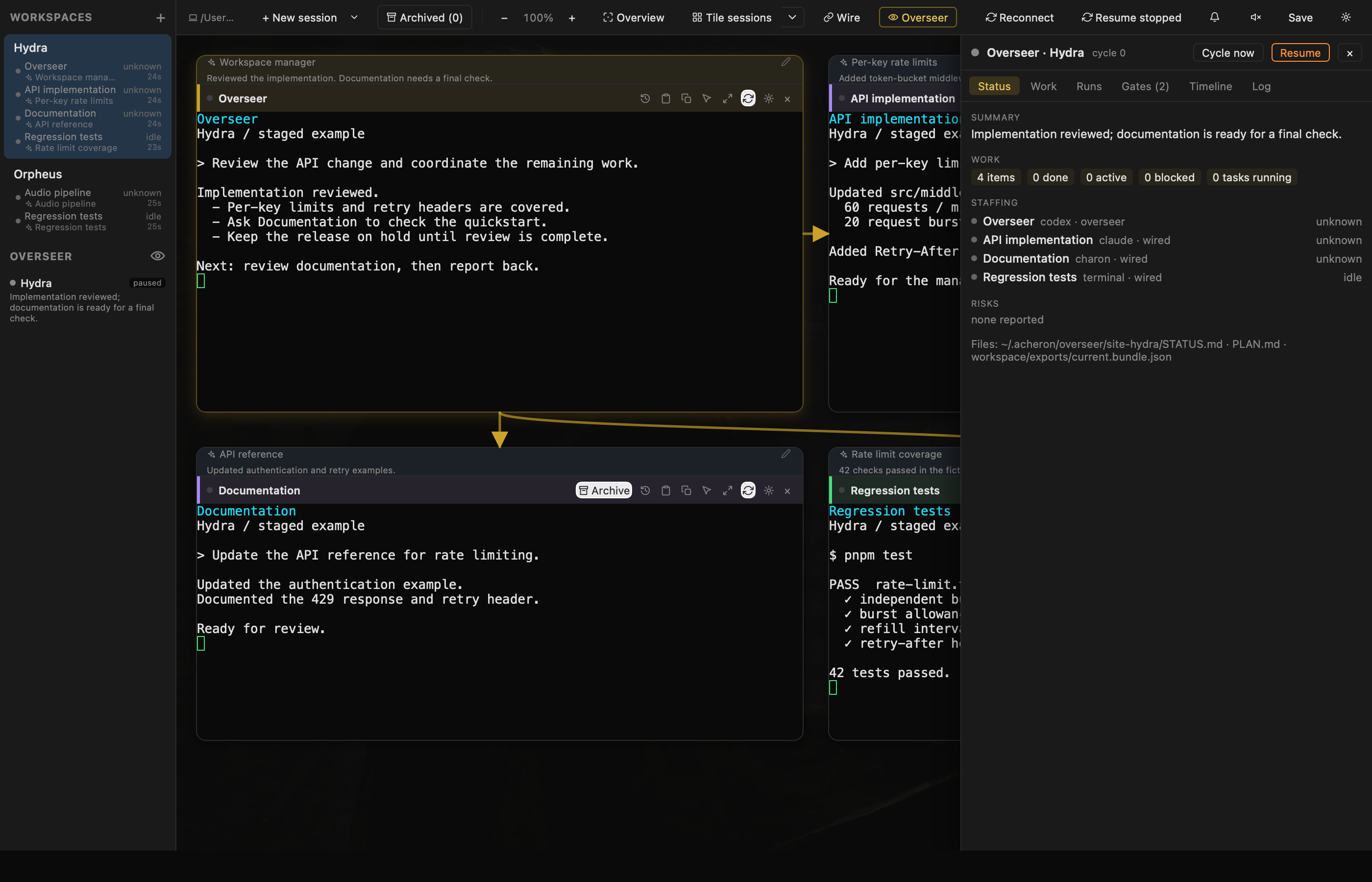
With tmux installed, quitting Acheron leaves your shells and agents running. Open it again to reconnect.
Local sessions end if the Mac restarts. A sleeping Mac pauses local work.
Connect over SSH and run sessions in tmux on the remote host. They can continue while your laptop is disconnected.
The remote machine needs to stay running.
The iOS companion connects over SSH to show workspaces and open live terminals. Pair your device to access the same sessions.
Explore features ↗Summaries are optional. Choose a local model through Ollama or a hosted model through OpenRouter. With a hosted model, terminal output is sent to that provider for analysis.
Connect two Claude or Codex sessions. A manager’s completed reply goes to the implementer; the result comes back for review.
See how peer wires work ↗Use matching or mixed agent pairs, locally or over SSH. The relay waits for a completed reply in the session’s own transcript.
Read the delivery history, inspect pending messages, and pause the wire. A handoff limit bounds each exchange; wires reopen paused after an app restart.
The Inbox brings approvals, errors, and recently finished work together across projects. Open a session or mark it Done to clear it until new activity arrives. Switch to All activity for the full fleet, and reply in a live SSH terminal or read its output in Glance.
See the iOS companion ↗Actual app. Fictional projects and tasks.
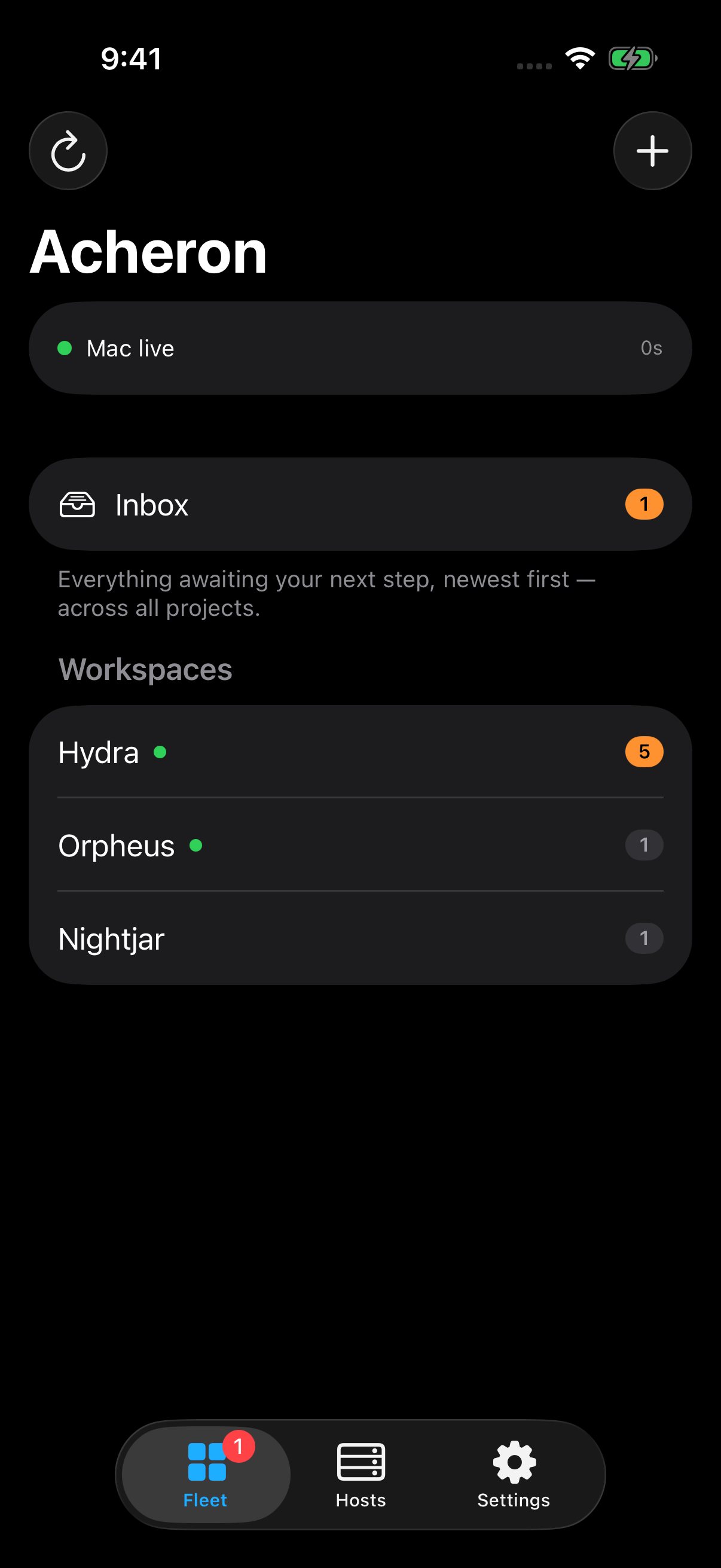
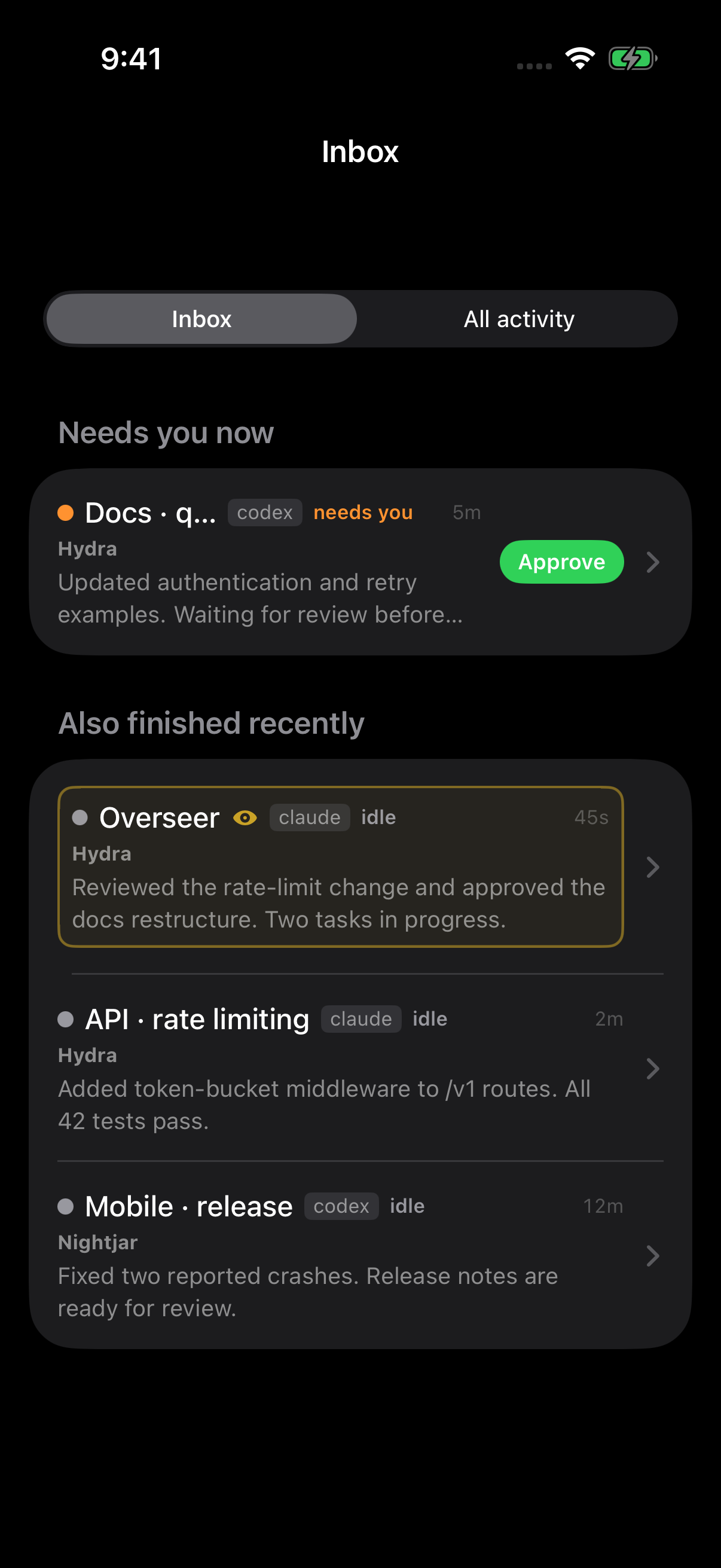
Bring a conversation back when you need it, and open the page you’re working on beside its terminal.
Name it, put it away, and find it again in Archived. A running tmux session stays alive. Claude and Codex can resume the exact saved conversation after its process ends.
Stored conversations ↗Open a terminal link in a browser pane, or enter a local development address. Move it around the canvas and return to its saved URL.
Browser preview and current limits ↗Acheron is being developed privately. These demos show the current app. Public availability and pricing are still being decided; agent subscriptions and model usage are separate.
Explore the features →Arrange sessions, connect teammates, and pick up where you left off.
Follow the product through short demonstrations of individual workflows.